Description
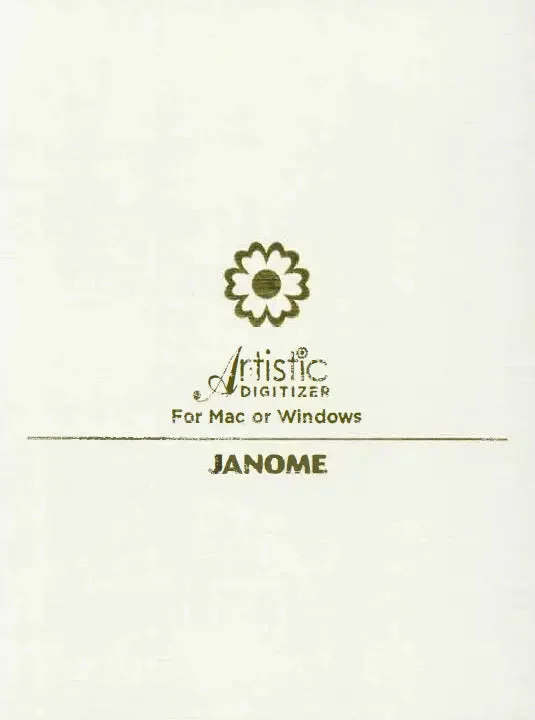
Artistic Digitizer 2.0 — Embroidery Gets Creative
Unlock your creative potential with Janome Artistic Digitizer 2.0, the professional-grade embroidery software that bridges fine art with perfect stitches. Whether you’re embellishing garments, crafting monograms, converting photos, or designing art quilts, this software makes it fast, intuitive, and stunning.
Why Choose Artistic Digitizer 2.0?
-
From Image to Embroidery — in Seconds
Instantly convert photos, artwork, or clipart into stitch-ready designs using Photo Stitch, PaintStitch, Cross Stitch, or the bold new Sketch Mode—perfect for dramatic charcoal-style outline effects on knits, tees, and creative textiles. -
Dynamic Fills That Wow
Blend color and texture with Gradient Fill or create organic patterns with Floral, Vine, and Bitmap Fill Arrays. Space Fill lets you effortlessly balance density and placement—ideal for multi-hoop fills or area coverage. -
Monogram Magic
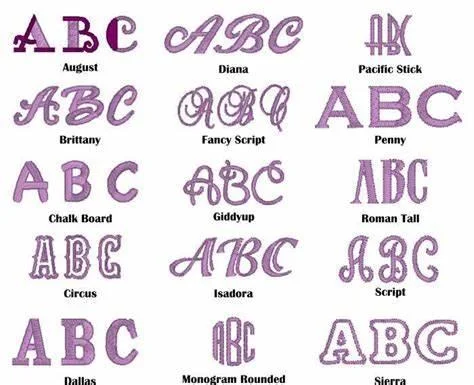
Build eye-catching monograms with ease—choose vertical or horizontal layouts, control kerning, and weave letters together. Add instant dimension with 3D/4D stitching, all without extra foam, for luxurious pop-up effects. -
Personalize at Scale
Need to add names for teams, organizations, or events? The Name Drop feature batch-personalizes designs—rapidly imprint dozens of names on caps, badges, or uniform trims in one go. -
Harmonize Embroidery & Cutting
Merge digital cutter artistry with embroidery: design shapes, cut intricate pieces, and stitch them—ideal for appliqué-rich art quilts or mixed-media creations. -
Streamline Your Workflow
Automatically resize to fit any hoop. Use the Rearrange Tool to fine-tune stitch sequence and start/end points in one place. Import PNG files with transparency for crisp results, split objects with Knife/Split tools, and even convert your design into classic Redwork line art. -
Quick and Easy Setup
Get started fast—download installers online and activate via code (no CD needed). Janome provides a Quick Start guide and comparison charts to help you choose and begin embroidering right away.
Key Features at a Glance
| Feature Area | Highlights |
|---|---|
| Image Conversion | Photo Stitch, PaintStitch, Cross Stitch + new Sketch Mode |
| Fills & Textures | Gradient, Motif, Floral & Vine Fills, Bitmap Arrays, Space Fill |
| Lettering & Monograms | TrueType/OpenType font support, vertical layout, kerning, monograms, 3D/4D effect |
| Production Tools | Resize to Hoop, Reorder stitches, PNG import, Knife/Split Editing |
| Batch Editing | Name Drop for multi-design personalization |
| Creative Integration | Digital cutter coordination, Redwork conversion |
| Setup & Support | Downloadable installers, activation code, quick-start documentation |
Who It’s For
-
Embroidery Enthusiasts & Hobbyists — Feed your creative vision with intuitive tools, beautiful fills, and personal monograms.
-
Small Business Owners & Custom Embroiderers — Quickly personalize team wear or event pieces with batch tools like Name Drop.
-
Quilters & Mixed Media Artists — Use cutter integration and advanced fills for layered, artistic quilt projects.
-
Educators & Designers — Teach and design with pro-level features accessible to newcomers.
Learn how to get the most from Artistic Digitizer 2.0 with Janome’s official step-by-step tutorials.
Watch Janome’s Artistic Digitizer Playlist on YouTube by Clicking Here!
- 5 Minutes at a Time series — quick, focused lessons
- Step-by-step walkthroughs for key features
- Tips for monograms, fills, and editing
- Project inspiration from Janome educators
Reviews
There are no reviews yet.